

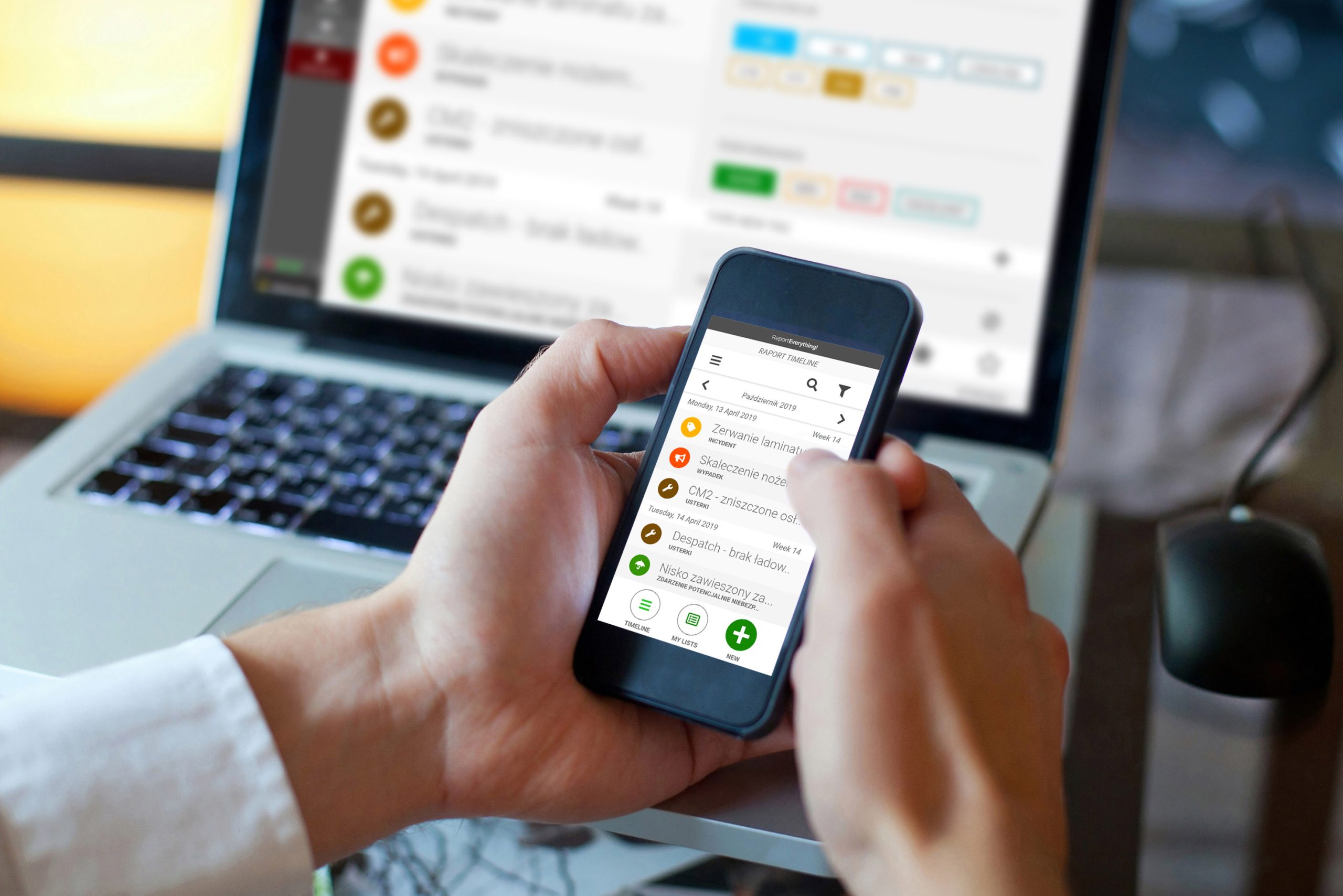
LimeBook RAP – on-site incident reporting.
LimeBook RAP is a LimeBook system module designed for fast, structured incident reporting and for creating OHS and environmental protection documentation directly at the place where an event occurs. It enables incident reporting from mobile devices, eliminating delays and errors resulting from later manual data entry and fragmented information collection.
The module supports documenting events using photos and voice notes, enabling a complete and reliable representation of the situation. Reports are automatically routed to the appropriate personnel, and SMS, email, and push notifications and alerts improve timely response and action. A central archive provides quick access to report history for audit and analysis purposes.
LimeBook RAP provides real-time monitoring of report statuses, data visualization, and statistics generation, supporting fact-based operational decisions. Offline operation and automatic data synchronization ensure continuity of reporting processes even in challenging field conditions.
Zobacz: LimeBook RAP – raportowanie z miejsca zdarzenia w pigułce (PFD).
What benefits does a database of incident reports from event locations provide?
A unified knowledge base of daily events across all branches of your Organization is a valuable managerial tool. LimeBook RAP is:
- Immediate incident reporting
The ability to create reports directly at the incident location shortens response time and eliminates information delays. - Shorter production downtime. Faster implementation of corrective actions.
Automatic task delegation and SMS, email, and push notifications accelerate the response of the appropriate personnel. - Higher quality OHS and environmental protection documentation
Support for photos, video, and voice notes ensures complete, reliable, and consistent incident reports. - Elimination of data fragmentation
A central archive collects all reports in a single system, facilitating audits, inspections, and historical analysis. - Full transparency of the incident handling process
Ongoing monitoring of statuses and progress enables real-time control over each incident. - Data-driven decisions
Reports, statistics, and visualizations support trend analysis and improvements in safety and operational processes. - Reduction of errors and administrative burden
Process automation reduces manual handling of reports and lowers the risk of mistakes. - Improved safety culture
Easy access to reporting tools increases the number of reports and employee engagement in OHS and environmental protection.
Mobile report and incident creation
Users can create reports and incident submissions directly from their smartphone or tablet. This eliminates delays caused by the need to enter data into the system later, ensuring that documentation is created immediately at the scene of the event.
Multimedia and voice note support
The module allows photos and audio recordings to be added to reports. This addresses the issue of incomplete documentation and enables an accurate representation of the situation, which is particularly important in the case of OHS incidents or technical failures.
Automatic task delegation and notifications
The system automatically routes reports to the appropriate personnel, while SMS, email, and push notifications remind them of required actions. This eliminates delays and ensures that responsible employees receive clear tasks to complete.
Centralne przechowywanie danych
All reports and submissions are archived in a single repository, ensuring full transparency and making it easier to retrieve information during audits and inspections. This solves the problem of scattered documentation across different files or departments.
Real-time analysis and monitoring
The module enables data visualization, generation of statistical summaries, and tracking of task statuses. Users can monitor progress in real time and make data-driven decisions, increasing management effectiveness.
Offline operation
Reports can be edited even without internet access, with data synchronizing once connectivity is restored. This feature addresses reporting challenges in hard-to-reach locations, such as construction sites or industrial zones with poor coverage.
Features that support informed decision-making.
Reporting of failures, faults, and OHS and environmental protection incidents.
- Creation of incident reports related to OHS and environmental protection.
- Recording incidents, failures, and non-conformities.
- Creating event documentation directly at the place where they occur.
Mobile incident reporting and reports.
- Creating reports and submissions from mobile devices (smartphones and tablets).
- Support for field reporting.
- Immediate saving of documentation in the system.
Support for multimedia and supplementary data.
- Adding photos to reports.
- Support for voice notes (audio recordings).
- Adding attachments to reports.
Automatic task delegation.
- Automatic assignment of reports to the appropriate individuals or roles.
- Handling tasks resulting from reported incidents.
- Mechanism for handing over the process to another team member.
Notifications and alerts.
- Automatic SMS or email notifications about new reports and tasks.
- Push notifications for mobile users.
- Alerts for required actions and delays.
- Providing real-time information to all process participants.
Central data archive.
- Central repository of reports and submissions for multiple locations/branches.
- Secure and unlimited long-term storage of event history.
- Quick access to data for audits and inspections.
- Elimination of dispersed documentation (local files, emails).
Data analysis and monitoring.
- Visualization of report data.
- Generating statistical summaries.
- Real-time monitoring of report and task statuses.
Offline work and synchronization.
- Editing reports in offline mode.
- Automatic data synchronization upon reconnection.
- Ensuring continuity of reporting processes in the field.
Do you know how to use LimeBook RAP in your organization?
Write to us. As part of a working group, we will define the scope of digitization and automation and help you carry out the implementation.